Getting Started
Choosing Your Department
The portal is the front door of a community. It shows who you are signed in as and which of the four parts of the CAD you may open.
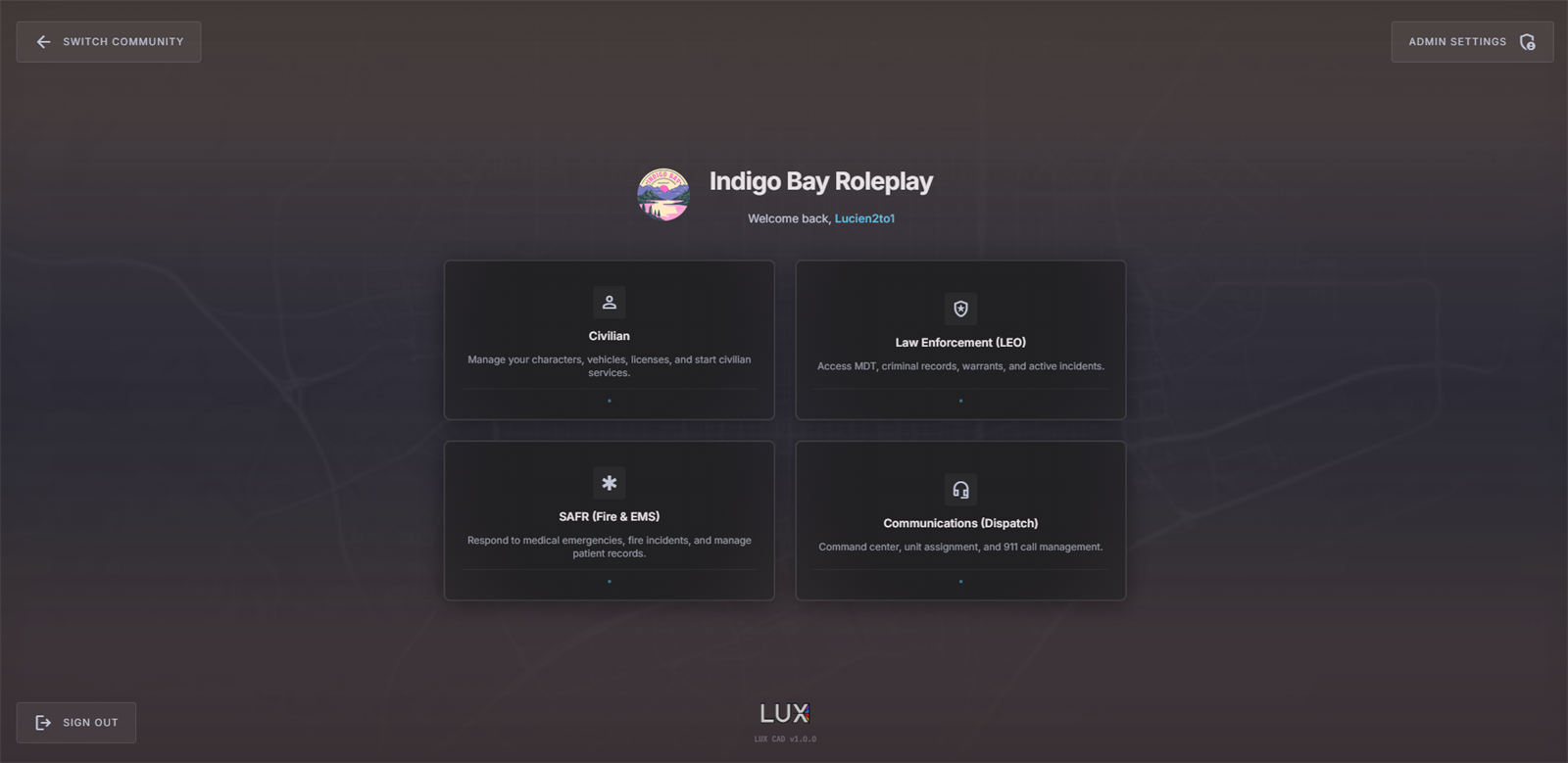
The four tiles
| Tile | What it is |
|---|---|
| Civilian | your characters, vehicles, licenses, documents and civilian services |
| Law Enforcement (LEO) | the police MDT: records, reports, warrants, incidents |
| SAFR (Fire & EMS) | the fire and medical MDT: operations, patient care, hospitals |
| Communications (Dispatch) | the dispatch console: 911, the call queue, units and the map |
Click a tile to enter. Civilian opens straight away; the three staff tiles put you on a sign-on screen first — see Going On Duty.
Locked tiles
A tile you may not use is dimmed and reads Locked. That means you do not have the Discord role for that department in this community.
Access is decided by that community's staff team, not by LUX CAD, and it is checked live every time you open the portal — so once a role is given to you, reloading the portal is enough. If a tile stays locked, ask the community's staff which role you need.
The rest of the screen
- SWITCH COMMUNITY (top left) — back to the community picker.
- ADMIN SETTINGS (top right) — only appears for community admins.
- SIGN OUT (bottom left) — ends your CAD session.
In the in-game tablet, SWITCH COMMUNITY and SIGN OUT are hidden: the tablet belongs to the server you are playing on and its session is managed by the game.