Civilian
Phone Directory
The directory is the city's phone book: look someone up by name and get their number, or call them straight from the CAD.
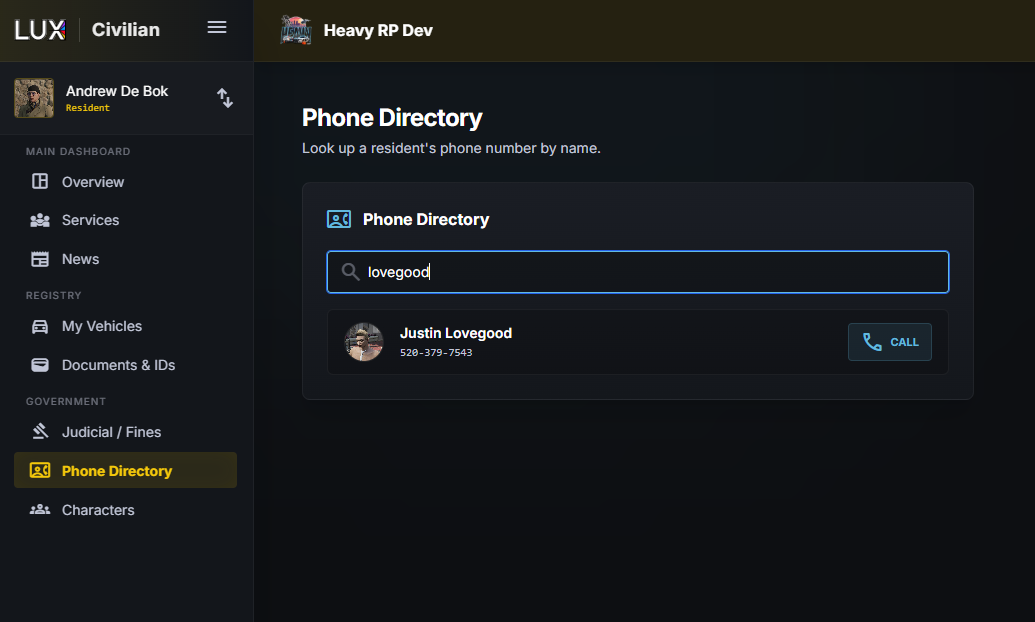
Looking someone up
Type a name in the search box. Each result shows a photo, the name, and one of three things:
| Means | |
|---|---|
| a number | listed — you can see it and call it |
| Hidden from directory | they exist, but have chosen not to be listed |
| No number assigned | no phone linked to that character yet |
Someone who is unlisted still shows up by name. That is deliberate: you can confirm a person exists without being handed a way to ring them.
Calling
The CALL button rings the other person for real — their phone goes off in-game and you talk over voice, not text.
Whether you can call from the browser depends on how your community has set up its phone system:
- LUX's own phone system — you can call from anywhere, in the browser or in-game.
- A third-party phone resource — calls go through that resource, so the button only works in-game. In the browser it is greyed out with "External phone system — must be in-game to place a call."
You may also see Phone system disabled, which means your community has not turned it on at all.
While you are on a call
A call strip appears at the bottom of the screen with the other party and a hang-up button. Your microphone is muted by default and works as push-to-talk on your radio PTT key — hold it to speak, release to stop.
An unanswered call rings for about half a minute and then gives up.
Getting your own number
Your number is not typed in — it is linked to a real phone in the game, so it cannot be claimed by someone who does not have it.
- Open the CAD in-game while holding the phone you want to use.
- Open your character in the character editor.
- Under Phone number, use Use the phone I'm holding.
In a browser you will see a note telling you to do this in-game. If your account already has numbers on it, they are offered in a list underneath so you can pick one instead.
Remove unlinks the number again — useful when a character changes phones, or when you would rather not be reachable on that one.