Civilian
Documents & Wallet
The wallet holds every card this character carries: the State ID, the Medical ID, the licenses — and the ones that are not quite genuine.
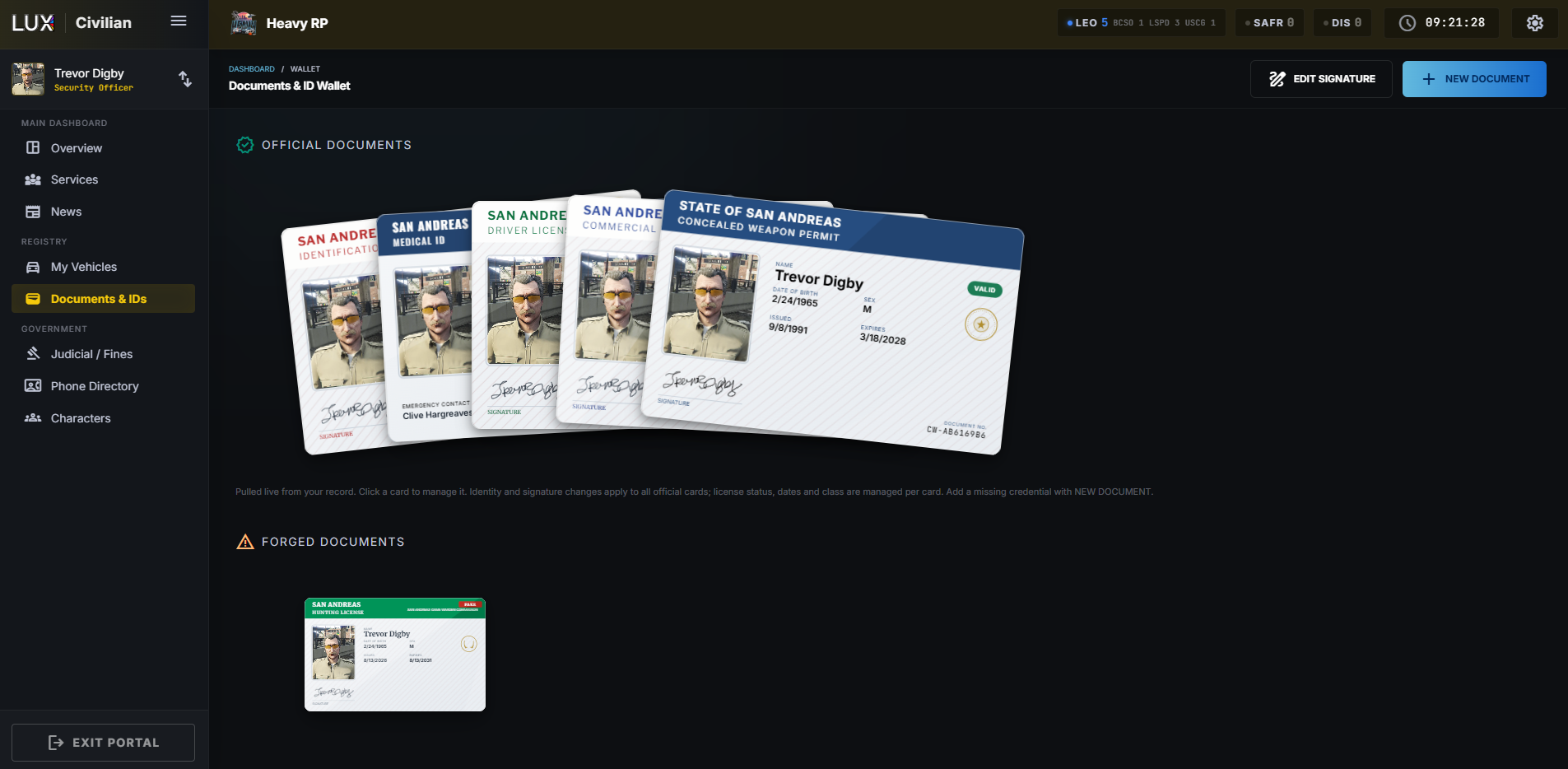
Two stacks
Official Documents are pulled live from your record. You do not fill them in as documents — they render themselves from your identity, your medical details and your licenses. Change your name in the character editor and every official card reflects it.
Forged Documents are yours to write from scratch: any name, any number, any date. They look like the real thing to whoever you hand them to. Whether that holds up is between you and the officer reading it.
Click any card to open and manage it. What is editable depends on which kind:
| Editable where | |
|---|---|
| Name, date of birth, address, photo, signature | the character editor — applies to all official cards |
| License status, class, issue and expiry dates | on the license card itself |
| Everything on a forged document | on that document |
Dates print US style (7/21/2026) unless you switch to EU (21-7-2026) in
Your Settings. That is how you
read the card, not how it is stored — an officer with the other setting sees the
same date their own way.
Your signature
ADD SIGNATURE (or EDIT SIGNATURE) opens a pad you draw on with the mouse. It is printed on your official documents, so a card without one looks unsigned to anyone inspecting it.
Adding a document
NEW DOCUMENT with a switch between official and forged. Use official for a real credential you are missing, forged for anything else.
Showing your papers in-game
A wallet is only useful if you can produce it. In-game, /showid (also
/papers) opens a selector: your own documents on the left, the people nearest
to you on the right. Pick a document and a person and the card appears on their
screen.
Two details that matter in practice:
- The card cannot be clicked away by mistake. It takes no mouse input from whoever is reading it; they dismiss it with ESC. So it stays up while the officer actually reads it, and it never traps them.
- "Make out-of-state ID" is in the same selector. It builds a one-off ID for a character who has no file here at all — useful for a visitor from another state. Nothing is stored; it exists only for that one showing.
You can set where the card appears on your screen and how big it is with
/idconfig.