LEO
Radio & Messaging
Two separate channels, and the split is deliberate: voice happens in the game, text happens in the CAD.
Radio
The radio is not in the MDT. There is no radio panel on the LEO terminal —
that panel exists only for dispatch. Your radio is the in-game one, started with
/luxradio.
That is not an oversight. You are in a car, in the game, with your hands on the wheel; a push-to-talk that lives in a browser tab you are not looking at would be useless. Dispatch is the one role sitting at a desk, so dispatch is the one role with a radio in the browser.
Practical consequences:
- Start the radio in-game at the beginning of your shift. Signing on to the
CAD does not put you on the air. A unit who is on duty in the CAD but never
ran
/luxradiois a unit nobody can raise. - Your channel follows the assignment your community's dispatch gives you.
- If people say you are fading in and out, or that you are very quiet, that is usually your microphone level rather than the radio — the resource will tell you when it measures your transmission as too soft.
Messaging
Messaging is in the CAD, and it works for every department — LEO, SAFR and dispatch alike.
Messages sits at the bottom of the sidebar with a red badge when something is unread. It opens as a pop-out beside the sidebar rather than a page, so you keep whatever you were doing.
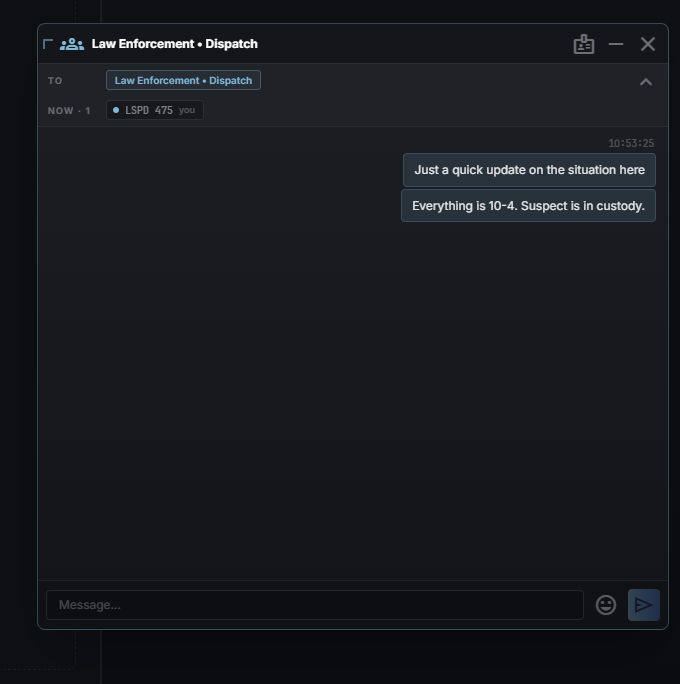
- New conversation — pick one unit or several. A group can be named.
- Conversations can be minimized to keep them at hand, or closed.
- The notification sound has its own toggle if you would rather it stayed quiet.
- You can see how many units of a department are on duty before you message them, so you know whether you are writing to somebody who is actually there.
Messaging is tied to being on duty: it is unit-to-unit, and it stops when you sign off.
Which one to use
Radio is for anything time-critical and anything the whole channel benefits from hearing — you are talking to everyone at once, and that is the feature.
Messaging is for what does not belong on the air: a plate for one colleague, a question that does not need to interrupt a pursuit, coordination between two units on a long call. It is also the only one of the two that leaves something you can scroll back through.
Neither is the incident log. What actually happened on a call belongs in the log, where the report can be built from it later — see Incidents & Calls.